
Security · 10 min
Authenticator App vs SMS 2FA: Don't Get This Wrong
The single most important security choice you can make. And most people make it wrong.
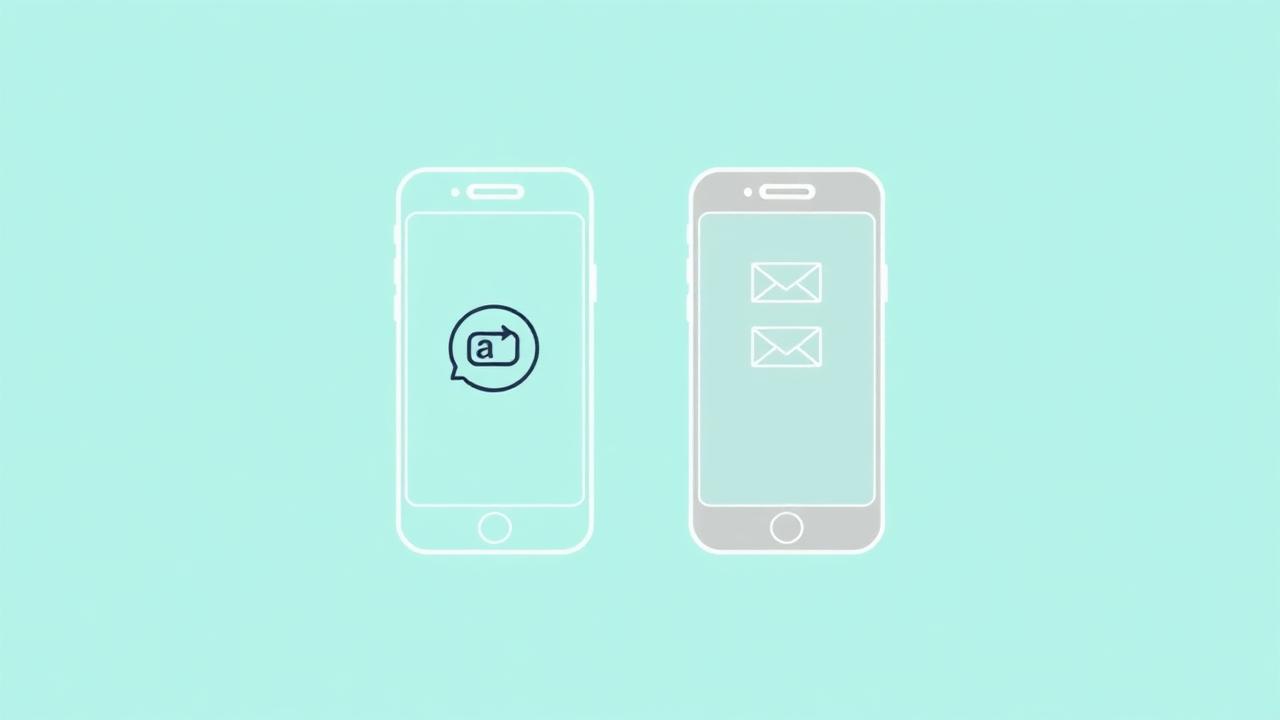
The security of your online presence hinges on a single, binary choice often presented during a routine login: how do you want to receive your secondary verification code? Most users, driven by a desire for convenience or a familiarity with existing habits, choose SMS. It feels natural to receive a text message on the device that is already in your hand. You see the code in a notification bubble, type it in, and the digital gates swing open. This familiarity is exactly why SMS-based two-factor authentication (2FA) is the most common point of failure for sophisticated account takeovers in 2025. By choosing the path of least resistance, you are tethering your entire digital identity to a protocol that was never designed for security.
The reality of modern cybercrime is that your phone number is not a secret, and the network that carries your text messages is fundamentally porous. Hackers no longer need to guess your password if they can simply intercept the key you use to reset it. When you rely on SMS, you are trusting your mobile carrier’s retail employee—a person making an hourly wage at a kiosk in a mall—to be the final gatekeeper of your Instagram, your Gmail, and your banking apps. If that employee is tricked or bribed into porting your number to a new SIM card, your security perimeter collapses instantly. This is why the shift toward dedicated authenticator apps isn't just a recommendation for the paranoid; it is a baseline requirement for anyone who wants to avoid a catastrophic lockout.
The distinction between an SMS code and a Time-based One-Time Password (TOTP) generated by an app like Google Authenticator, Authy, or Microsoft Authenticator is the difference between a postcard and a vault. One travels through the air, visible to anyone with the right tools or authority over the network, while the other is generated locally on your hardware, never touching the internet until you manually input it. Understanding the technical and tactical nuances of these two methods is essential. If you are currently locked out because a 2FA method failed or was intercepted, you might need to recover your account before you can implement these upgrades. But for everyone else, the transition from SMS to app-based security needs to happen today, before the next wave of automated "drainer" attacks hits your inbox.
The Fatal Flaw of SMS Infrastructure
Short Message Service (SMS) was built in the early 1990s as a secondary communication layer for cellular networks. It lacks encryption, it lacks verification of the sender, and it is routed through a complex web of global telecommunications providers who often prioritize connectivity over security. When a platform like Meta or TikTok sends you a 2FA code via text, that message passes through several hands before it hits your screen. It can be intercepted by "Stingray" devices that mimic cell towers, or redirected using vulnerabilities in the SS7 protocol, which is the aging backbone of international telephony.
Beyond the high-level technical vulnerabilities, the most common threat is the SIM swap. In a SIM swap attack, a bad actor gathers enough personal information about you—often through data breaches or social engineering—to convince your mobile carrier that they are you. They claim they lost their phone and need to activate a new SIM card. Once the carrier moves your service to the hacker’s device, every 2FA code intended for you goes to them. They don't need your password; they simply go to the login page, click "forgot password," and use the SMS code they just intercepted to bypass your security and change your credentials. In seconds, you are locked out of your life, and the platform’s automated systems will see the hacker as the verified owner.
Furthermore, SMS 2FA creates a "single point of failure" that is geographically dependent. If you travel internationally and don't have roaming enabled, or if you lose cellular service during a network outage, you are effectively locked out of your own accounts. You are at the mercy of your carrier’s uptime. In 2024 and 2025, we have seen an uptick in "SMS delivery failures" where platforms like Instagram simply stop sending codes to certain regional carriers due to routing disputes or spam filtering. If SMS is your only 2FA method, and the message never arrives, you are stuck in a loop with no path forward except for a manual review that could take weeks.
How Authenticator Apps Change the Math
Authenticator apps operate on a protocol called TOTP (Time-based One-Time Password). When you set up an app like Google Authenticator or 1Password, the service (like Facebook or Amazon) shares a "secret key" with your phone, usually in the form of a QR code. This key is stored locally in the app's encrypted storage. The app and the service then use that shared key, combined with the current time, to run a mathematical algorithm that produces a six-digit code.
Because the code is generated locally on your device, it never travels over the cellular network. Even if a hacker has redirected your phone number, they cannot generate the code because they don't have the secret key stored on your physical hardware. This creates a "what you have" factor that is genuinely tied to a physical object you control, rather than a virtual number controlled by a third-party carrier. Most modern authenticator apps also require a biometric check (FaceID or a fingerprint) before you can even see the codes, adding an extra layer of "what you are" to the security equation.
The reliability of these apps is also vastly superior to SMS. They do not require an internet connection or a cellular signal to generate a code. If you are on an airplane, in a basement, or in a foreign country with no SIM card, your authenticator app will still churn out valid codes every 30 seconds. This independence makes the app-based approach the only logical choice for professionals who travel or people who operate in high-risk digital environments. It removes the middlemen and puts you back in charge of the verification process.
The Backup Code Dilemma
One of the most frequent reasons people contact our team to recover their accounts is that they switched to an authenticator app, lost their phone, and realized they never saved their backup codes. This is the "onboarding tax" of higher security: with great power comes the responsibility of redundancy. When you enable 2FA via an app, every platform—Google, Meta, Discord—will provide you with a list of 8 to 10 one-time-use recovery codes. These are your ultimate lifelines.
If your phone breaks, falls in the ocean, or is stolen, your authenticator app goes with it. Unless you have a cloud-synced authenticator like Authy or the newer versions of Google Authenticator (which sync to your Google Account), you will be locked out. Many security purists argue against cloud-syncing because it introduces a potential vulnerability if your primary Google or Apple account is hacked. However, for the average user, the risk of losing a physical phone is statistically much higher than the risk of a high-level cloud breach.
The correct way to handle backup codes is to print them out or store them in a physically secure location, such as a fireproof safe. Do not store them in a screenshot on your camera roll—hackers look for those first. Do not store them in a plain text file on your desktop. If you choose an app that doesn't sync to the cloud, you must be disciplined about these codes. If you aren't, you are swapping the risk of a SIM swap for the risk of a permanent lockout due to a hardware failure. Both results are equally devastating.
Platform-Specific Behaviors and 2FA Quirks
Not every platform treats 2FA with the same level of sophistication. Meta (Facebook and Instagram) has a notoriously finicky 2FA system. They often default to SMS even if you have an app enabled, and their "Login Approvals" feature sometimes conflicts with third-party authenticators. In 2025, if you are using Instagram for business, you should transition to the Meta Business Suite and set up 2FA at the Business Manager level. This allows for multiple "Admins" to have access, ensuring that if one person’s 2FA fails, another can still grant access.
TikTok is particularly aggressive with SMS 2FA. They frequently use it as a "security check" when they detect a login from a new IP address. If you have been banned or suspended, TikTok’s recovery process often reverts to the linked phone number, regardless of your authenticator app settings. This is a weakness in their internal architecture. To combat this, you should ensure that the "Account Recovery" settings in the TikTok app are updated to include a secondary email address that is ALSO protected by an authenticator app.
Google is perhaps the most advanced. They are pushing users toward "Passkeys," which use the biometrics of your device to replace passwords entirely. While Passkeys are excellent, they are not yet universal. For your primary Google Workspace or Gmail account, you should ignore the "Google Prompt" (the yes/no notification that pops up on your phone) and use a physical security key like a YubiKey or a dedicated TOTP app. The "Google Prompt" can be bypassed via "MFA Fatigue" attacks, where a hacker spams your phone with hundreds of prompts until you accidentally hit "Yes" to make them stop. An authenticator app doesn't have this vulnerability because the user must proactively open the app and type the digits.
The Hidden Dangers of 2FA Reset Requests
When you are locked out of an account because your 2FA isn't working, you will be tempted to use the "I don't have my phone" link. Be warned: this is where the most dangerous part of the recovery process begins. Platforms like X (Twitter) and LinkedIn have significantly slowed down their manual 2FA reset processes. They will often ask you to provide a government ID or a "video selfie" to prove your identity.
In late 2024 and early 2025, we have seen a massive rise in AI-driven "Deepfake" identity verification attempts. Consequently, the platforms have responded by making their automated ID checks much stricter. If the lighting is poor, or if the name on your ID doesn't perfectly match the name on your account (which is common for people using pseudonyms or stage names), the automated system will reject you. Once you are rejected three times, many platforms will "hard-lock" the account, meaning no further automated attempts are allowed.
This is why having a robust, app-based 2FA setup is a preventative measure. It prevents the need to ever interact with these broken automated recovery systems. If you find yourself in a situation where the app isn't working and you are being asked for ID, stop and ensure your surroundings are perfect. High-contrast lighting, a clear background, and a steady hand are more important than the speed of the submission. If the automated system fails, you are looking at a manual review process that, in the case of support@tiktok.com or Meta’s internal ticketing, can take thirty days or longer.
Choosing the Right Authenticator App
Not all authenticator apps are created equal. The market is divided into three main categories, and your choice should depend on your specific risk profile.
- Option 1: The Basic (Google Authenticator / Microsoft Authenticator). These are free and simple. For years, Google Authenticator was tied to a single device, but it now offers the option to sync to your Google account. This is the "sweet spot" for most users. It provides 99% better security than SMS while offering a safety net if you lose your phone. Microsoft Authenticator is similar but often integrates better with corporate environments and Azure-based logins.
- Option 2: The Multi-Device (Authy / 2FAS). Authy was the long-time king of this space because it allowed you to have the same codes on your computer, your phone, and your tablet. However, recent security changes and a shift in their business model have made some users wary. 2FAS is an open-source alternative that is gaining traction in 2025. It allows for encrypted backups to your iCloud or Google Drive, giving you control over where the "secret keys" are stored without tying them directly to your primary login.
- Option 3: The Hardware-Backed (Yubico Authenticator). This is the gold standard. In this setup, the "secret keys" are not stored on your phone at all. They are stored on a physical USB/NFC key (a YubiKey). To see your 2FA codes, you have to plug the key into your phone or tap it against the NFC reader. Even if someone steals your phone AND knows your passcode, they cannot get your 2FA codes because they don't have the physical key. This is what we recommend for high-profile creators, CEOs, and anyone managing significant financial assets.
The Role of Your Primary Email in the 2FA Chain
Your primary email address is the "master key" to your entire digital life. If a hacker gets into your email, they can initiate password resets for every other service you use. Therefore, the 2FA on your email account must be the strongest in your entire stack. If you use SMS 2FA on your Gmail or Outlook account, you are essentially leaving the front door key under the mat.
Most sophisticated attacks start with the email. A hacker will gain access to your email via a SIM swap, then they will search your inbox for "Welcome to Instagram" or "Your Shopify Store is Ready." Once they identify your high-value accounts, they will use the compromised email to reset the passwords. If those secondary accounts also use SMS 2FA, they will use the SIM swap to bypass those too. If those accounts use an authenticator app, the hacker might be slowed down, but they can often use the "security through email" loophole to disable 2FA entirely.
To prevent this, you should use a dedicated authenticator app for your email and—this is crucial—remove your phone number from the account recovery settings entirely. Most people don't realize that even if you have an app enabled, many platforms keep your phone number as a "backup" recovery method. A hacker will simply choose "Try another way" and select the SMS option. You must go into your security settings and explicitly delete your phone number as a recovery method. This forces any recovery attempt to go through your backup codes or a manual identity review that the hacker is unlikely to pass.
Mobile Carriers and the "Transfer Lock" Myth
You may have heard that you can call your mobile carrier (Verizon, T-Mobile, AT&T) and put a "protection" or "transfer lock" on your account to prevent SIM swapping. While you should absolutely do this, you should not rely on it. These locks are often just a "flag" in a database that a retail employee can bypass with a few clicks. There are countless documented cases of hackers using social engineering or "insider threats" (paying off a store employee) to ignore these locks and process a SIM swap anyway.
The telecommunications industry is not a security industry. They are in the business of selling data plans and hardware. Their security protocols are consistently five years behind the threats. In 2025, the only way to be "SIM swap proof" is to act as if your phone number is already compromised. Assume that anyone can receive your texts. When you operate from that mental framework, the necessity of authenticator apps becomes undeniable.
Furthermore, you should consider using a VOIP number (like Google Voice) for services that *require* a phone number but don't allow authenticator apps. A Google Voice number is tied to your Google account security (which, if you've followed this guide, is protected by an app or a physical key). This makes the "phone number" significantly more secure than a standard SIM-based number because it cannot be "swapped" at a T-Mobile store.
The Future: Passkeys and the Death of the 2FA Code
We are currently in a transition period. Over the next two to three years, the concept of typing in a six-digit code will likely disappear, replaced by "Passkeys." Developed by the FIDO Alliance, Passkeys allow you to sign in using the same biometric or local PIN you use to unlock your device. This is technically even more secure than an authenticator app because it is resistant to phishing.
In a phishing attack, a fake website might ask for your 2FA code. If you type it in, the hacker uses it in real-time to log into the real site. Passkeys prevent this because the "handshake" between your device and the website only works with the genuine domain. Your phone simply won't offer to sign you in if you are on `instgram-security-check.com` instead of `instagram.com`.
However, until Passkeys are the universal standard, the authenticator app remains your best defense. Many legacy systems and older apps will continue to rely on TOTP codes for years to scale. Your goal right now is to eliminate SMS and consolidate your security behind a managed authenticator app or hardware key. This reduces your attack surface from the entire global cellular network down to a single device or a few pieces of paper in your safe.
The Crisis Protocol: If the Worst Happens
If you are reading this because you are currently locked out, your strategy needs to shift from prevention to mitigation. If your 2FA is compromised, the first thing you should do is contact your mobile carrier to see if a SIM swap has occurred. If it has, you must regain control of your number immediately to prevent the hacker from hitting more accounts.
Next, you need to look for your backup codes. If you don't have them, do not keep trying the same login method over and over. This will trigger "rate limiting," which can lock your account for 24 to 48 hours, even for a legitimate owner. Instead, look for the "Contact Support" or "Identity Verification" options. Be prepared to provide the date the account was created, original email addresses used, and physical device identifiers (like the IMEI of your phone).
If the platform’s automated bots are giving you the run-around, or if you are stuck in a loop where the "reset" link keeps sending a code to a number you no longer have, you may need professional intervention. The internal support channels at major platforms are increasingly shielded from the public, and navigating them requires a specific understanding of their current logic and ticket-routing behaviors.
This level of security—moving from SMS to an app—might feel like a burden, but it is the only way to operate safely in an era where automated identity theft is a billion-dollar industry. The platforms aren't going to protect you; their systems are designed for scale, not for individual empathy. You have to build your own walls. If you have already lost access and are facing a wall of automated rejections, you can start a case to have an expert review your situation and determine the fastest path back into your account.
Stuck on a recovery right now?
Most cases close in 1–7 days. We confirm whether we can help within the hour.
Start a recovery case